Browser MMORPG: what it is, how to pick one and where to play free
What a browser MMORPG is, how to choose one and what Zarhold offers: 10 classes, raids, arena, guilds and card combat. Free, with nothing to install.
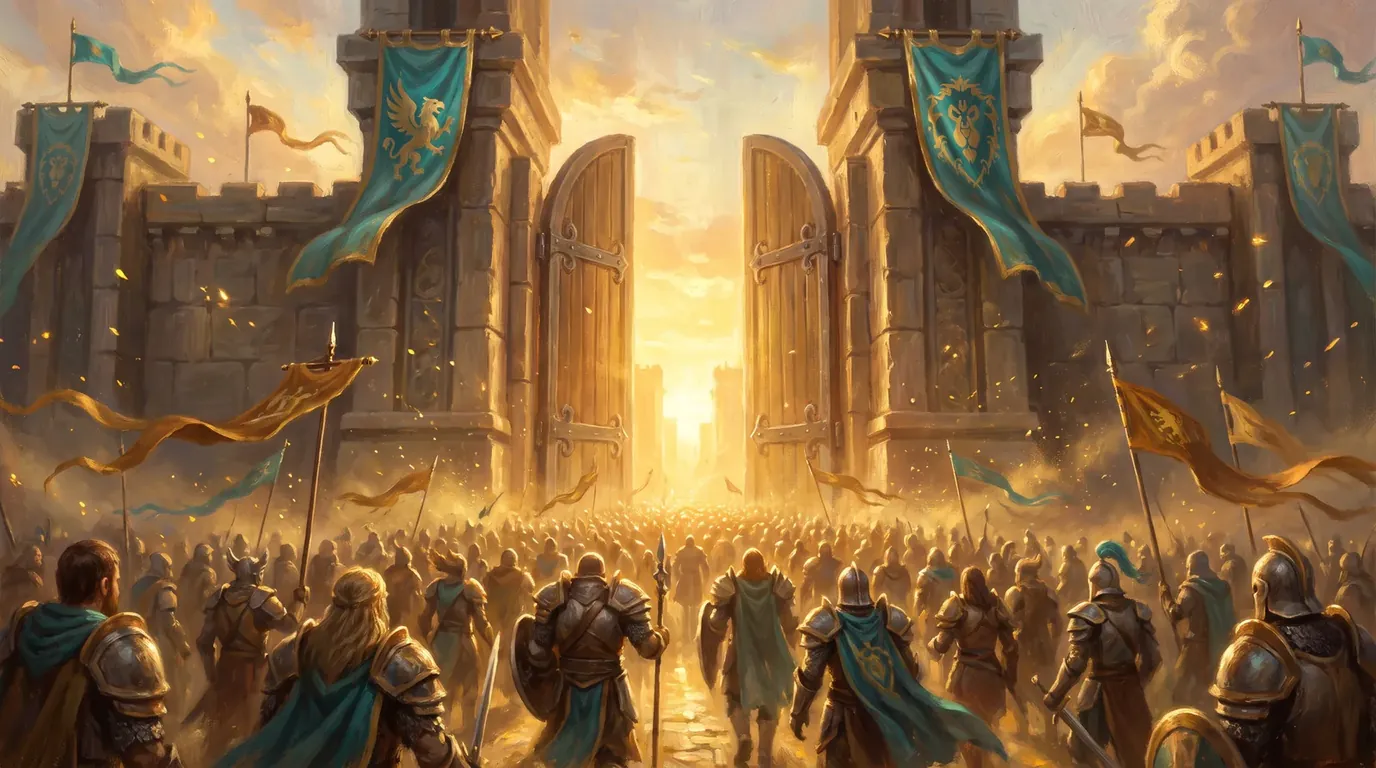
Zarhold is a free browser MMORPG that runs in a tab on your computer, phone or tablet, and its combat is played from a deck of ability cards instead of a hotbar. Around that combat sits everything you’d expect from a big online RPG: classes, dungeons, raids, an arena, guilds and professions. To start, open the game at zarhold.com/play. There’s no client to download, no launcher and no patch to wait for.
This page is about browser MMORPGs in general: what the genre looks like in 2026, how to pick one that suits you, which well-known games are fair to compare and what you actually get in Zarhold. We’re the Zarhold team, so our own game gets more detail. For other games we only state what you can check on their official pages.
What a browser MMORPG is
An MMORPG is a massively multiplayer online role-playing game: you have a character who grows, and other people play in the same world at the same time. If the genre is new to you, start with what an MMORPG is, explained simply.
A browser MMORPG is one where the client is the web page itself. Your hero, items, gold and combat results live on the game’s server, and the tab only draws the world and sends your decisions. In practice that means:
- nothing to install: no client, no launcher, no multi-gigabyte updates;
- new versions arrive on their own: you just reload the page;
- your hero isn’t tied to a device: if your laptop dies, your progress survives, because it was never stored on the laptop.
The trade-off is obvious: no internet, no game. That’s true of every MMORPG, though, including the ones you download.
Truly in the browser, or “browser” by reputation
Game catalogues still label some titles as browser games long after they started asking you to download something. That’s usually history rather than spin. Plenty of web games ran on Flash, and Adobe ended Flash support on 31 December 2020. Some games moved to standalone clients; others shut down.
The test is simple: open the game’s link in a normal browser. If you’re in the world a minute later, it’s a browser game. If you’re looking at a Download button, it’s a client game, even if it once lived in a tab.
Which browser MMORPG fits you
People type “browser MMORPG” with very different expectations. Answer a couple of questions first and the shortlist builds itself.
- I want one hero on both my phone and my PC. Check for a shared account and whether the phone needs a separate version. That’s what our cross-platform MMORPG page covers.
- I’ll mostly play on my phone. Touch controls and mobile browser support matter most: see a mobile MMORPG for Android and iPhone.
- I’m on a Mac. Many client MMORPGs ship for Windows only, while a browser doesn’t care which system you run: an MMORPG for Mac.
- My computer is old or slow. A heavy 3D client may struggle, while a browser game usually needs nothing more than a browser: an MMORPG for Windows and low-end PCs.
- I want something in the spirit of Albion Online. We’ve looked at what those games share and where they differ: games like Albion Online.
- I want to see lots of browser games side by side. There’s a separate roundup for that: browser MMORPGs with no download in 2026.
Three more questions are worth asking of any game. Does combat test your reflexes or your planning? What exactly does the shop sell? Is there life around you: chat, guilds, trading between players?
Comparison: browser MMORPGs and former browser MMORPGs
These are games that often come up when people search for a browser MMORPG. Not all of them open in a tab today, and that’s the first thing to know before you choose. Details are as of November 2026, taken from each game’s official pages.
| Game | Where to play | Install needed | Combat | Payment |
|---|---|---|---|---|
| Zarhold | browser on PC, Mac, Linux, Android, iPhone and iPad; Telegram; VK Play | no | turn-based, a deck of ability cards | free; no gameplay advantage for sale |
| Flyff Universe | browser on PC, Mac and phone | no | real time | free, with an item shop |
| RuneScape | Windows and Mac, Android and iOS, Steam | yes: a client on PC, an app on phone | real time, ability bar | free, with paid membership |
| AdventureQuest Worlds | PC, Mac and Linux via Artix Games Launcher | yes: a launcher | real time | free, with membership and a paid currency |
| Albion Online | Windows, Mac, Linux, Android and iOS | yes: a client or an app | real time, skills come from your gear | free, with Premium status |
What this tells you:
- Flyff Universe is the closest to Zarhold in format: it also runs entirely in the browser, phones included. The difference is combat: it plays out in real time there, while we use turn-based card play.
- RuneScape started in the browser in 2001 and is now played through a downloadable client (since 2016) and a mobile app. It’s a good example of a big MMORPG that outgrew the tab.
- AdventureQuest Worlds moved to the Artix Games Launcher on computers after Flash ended, and the launcher doesn’t run on phones. The studio is building a new version, AdventureQuest Worlds Infinity.
- Albion Online was never a browser game, but it gets recommended to the same people: one account across every platform, and free to play since 2019.
All names belong to their owners. We’re not saying any of these games is better or worse: they fight differently and shine in different ways.
What’s inside Zarhold
Zarhold is built like a classic MMORPG. There’s one difference, and it’s a big one: your hero’s abilities live in a deck of cards, not on a row of buttons.
Your hero
Ten classes and eleven races, and any race can take any class, for 110 combinations. Each class has its own deck and role: tank, healer or damage dealer, and some classes can fill more than one. Two sides are at war, the Kingdom and the Rebels, and you swear loyalty personally at level 60. One account holds up to ten heroes.
Combat
A fight starts with 6 cards in your hand, and you draw one more each turn. Cards cost Crystals: you get one on the first turn and one more each turn after that, up to ten. Once per turn you can use your class power. Every turn gives you 60 seconds, so you need a plan, not fast fingers. There’s no auto-battle anywhere: every fight is yours to play.
World and PvE
26 lands from level 1 to 60 and 312 quests. 23 dungeons are built for three players, 6 raids and 3 world bosses are for five, and at level 60 heroic and Mythic+ open up. Empty party slots can be filled by world residents of the right role, so you can head into a dungeon on your own.
PvP
A rated arena in 1v1, 2v2, 3v3 and 5v5, battlegrounds and duels. Guilds fight over contested lands.
Economy and community
12 professions, a player auction house, mail and guilds with a shared bank. Anyone can found a guild for free, at any level. There are no wipes: your hero is permanent, and your items and purchases stay with you.
For the full tour, from creating a hero to level 60, read our Zarhold review from A to Z.
How to start in a minute
- Open Zarhold in your browser. Chrome, Edge, Firefox, Safari or any other current browser will do.
- Press Play, then Play without signing up: your hero is created right away, no email needed. Already have a hero? Sign in with email, Google or Telegram.
- Pick a race and a class. The first quests are built for one player, and the Newcomer’s Path points you where to go next.
- Save your hero. At level 5 the game offers to link an email, and after that you can reach the same hero from any device.
Without an email your hero is still stored on the server, but you can only get back to it from the same browser. You don’t have to wait for level 5: Save progress in the More menu links an email at any time.
Browser MMORPG or a downloaded one: the honest version
Client MMORPGs aren’t going anywhere, and they have real strengths: huge 3D worlds, rich graphics, controls built around mouse and keyboard. A browser game wins elsewhere.
What you get:
- the game on any computer with a browser, including a work laptop or a Mac;
- the same hero on your phone, without a separate mobile version;
- zero gigabytes on disk and zero waiting for patches;
- a quick start: a couple of minutes from link to first fight.
What you accept with Zarhold:
- you need a connection: there’s no offline mode;
- the battle board is 2D: this isn’t a vast 3D world to wander around;
- phones play in landscape only, because the board needs the width;
- you can’t play on two devices at once: logging in on a new one closes the game on the old one;
- there are two languages, English and Russian;
- there’s no app in the stores yet, and the Steam release is still being prepared. Instead of an app you can pin the game to your home screen or desktop; the Play on any device page shows how, step by step.
For more on the “open a link and play” format itself, see a browser MMORPG with no download.
Where else you can play Zarhold
It’s one game with several doors:
- the website: zarhold.com/play in any browser;
- Telegram: a Mini App in the @zarholdsBot bot, signed in with your Telegram account; link Telegram to your main account and it opens your heroes;
- itch.io and Game Jolt: the game has pages there with news and updates;
- VK Play: a Russian game platform where Zarhold has its own page;
- Steam: the release is being prepared, and we’ll announce the date in our news.
The world is shared everywhere: players from every platform meet in the same chat, the same parties and guilds, and the same arena.
Who Zarhold suits, and who it doesn’t
It’s a good fit if you:
- would rather think about a move than race to press buttons;
- play in short bursts: ten minutes on your phone, an evening at your PC;
- want the classic MMORPG structure: party roles, dungeons, raids, gear and guilds;
- don’t want to install anything, or your computer is on the slow side.
It’s probably not for you if you want action combat with aiming and dodging, a huge 3D world to explore or a game that works offline.
Frequently asked questions
What is a browser MMORPG?
An online RPG with a shared world that runs entirely in your web browser: there’s no client to download, and your hero and progress are stored on the game’s server. Zarhold is one of them.
Do I need to download anything to play Zarhold?
No. The game opens from a link in the browser on a computer, phone or tablet. Adding it to your home screen is optional; it’s just a handy icon.
Which browsers does Zarhold work in?
Current versions of Chrome, Edge, Firefox, Safari and other modern browsers. Installing it like an app works best from Chrome or Edge on a computer, Safari on iPhone and iPad, and Chrome on Android.
Is Zarhold really free?
Yes. You can play for free, and no gameplay advantage is for sale. The only thing that helps is the Battle Pass: its heirloom items speed up PvE levelling a little.
Can I keep the same hero on my phone?
Yes. One account works on every device: sign in on your phone the same way you did on your computer, and you’ll find the same hero.
Will there be a wipe?
No. Your hero is permanent: levels, items and purchases stay with you.
Is Zarhold on Steam or in the app stores?
The Steam release is being prepared, and there’s no app in the stores yet. You can play in the browser, in Telegram and on VK Play.
- Cross-Platform MMORPG with Cross Progression: ZarholdOne hero on PC, Mac, phone and tablet, and how it works
- Mobile MMORPG for Android, iPhone and iPad: ZarholdHow to play an MMORPG on Android, iPhone and iPad in the browser
- MMORPG for Mac and MacBook: Zarhold in your browserWhich MMORPGs run on macOS, and how to play Zarhold on a MacBook with no install
- Games like Albion Online: Zarhold and 6 moreWhat Albion Online does well, who Zarhold suits, and six more games like it
- MMORPG for Windows 10 and 11: Zarhold, no downloadAn MMORPG for Windows 10 and 11 or a laptop: no client, no patches, no gigabytes
Further reading on the blog
- MMORPG with no download or install: how it works in Zarhold
- Best browser MMORPGs in 2026: an honest comparison with a table
- Zarhold review: a free card MMORPG in your browser, from A to Z
- What is an MMORPG? A simple explanation, examples and how it differs from an RPG
- Browser games with no sign-up or download: an MMORPG you can start in a minute
- A fantasy MMORPG in your browser: the world of Zarhold — races, lands and a floating capital