Hero appearance in an MMORPG: the Collection, auto-rotation and outfits
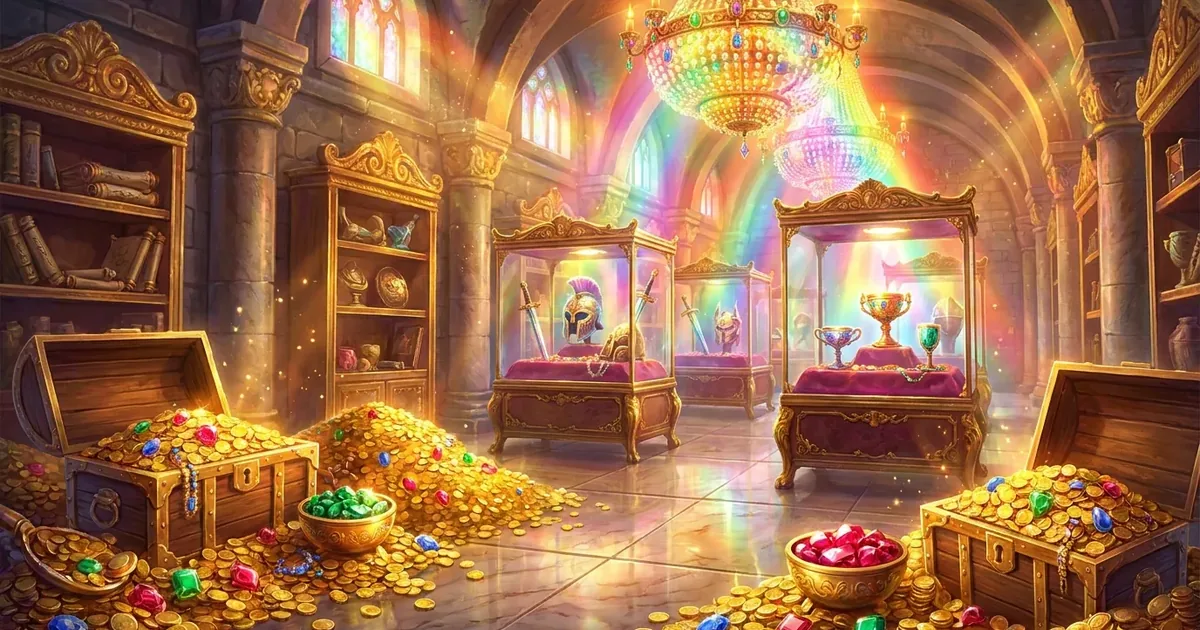
Hero appearance in the browser MMORPG Zarhold: battle boards, card backs, frames, avatars and pets, the Collection with try-on, auto-rotation and outfits.
In an MMORPG, people recognise a hero by more than their name. A portrait frame, a battle board, a card back, a pet by the portrait, a seal by your name in chat — all of that is appearance, and it shows where you have been and what you have done. In Zarhold, a card MMORPG in your browser, appearance lives in the Collection, which has just been rebuilt: try-on on your own hero, appearance auto-rotation and outfits. Here is how it all works and where to earn cosmetics by playing.
What appearance is in Zarhold
Appearance is looks only — it gives no power in battle. The kinds of cosmetics:
- battle boards — the backdrop of the board where the card battle takes place; some are living and move;
- card backs — the back of your cards;
- frames and avatars — your hero's portrait and its setting;
- pets — a companion by your portrait in battle and in your Chambers;
- chat adornments — a name seal, a scroll around your messages and a living name;
- mounts — for flights across the world map;
- Chambers style — the look of your own room.
The new Collection
Open it with the Collection button on the title screen or in the game menu. Ribbons on top are the sections: Outfits, Battle boards, Card backs, Frames, Avatars, Pets, Chat adornments and Stable. On the left is the showcase: the selected item is shown on your own look at once — the board behind, your portrait in its frame, your pet, card backs fanned out. On the right is the shelf of tiles in pages, with no scrolling; the filters are All, Mine and Locked. Hover a tile with the mouse (tap it on a phone), and the showcase tries it on.
Every locked item says where it comes from, and living boards are marked "● Live".
Try-on of the day
A locked battle board has a Try it on in battle button: your next fight in the world or on a run is played on that board. Once a day, and only you see it. There is no try-on in PvP, in tournaments or in training.
Appearance auto-rotation
Your look can change by itself — from what you have marked:
- ♥ on a tile puts the item in the auto-rotation pool; tap again for ★: it comes up twice as often; once more removes it;
- each kind has its own frequency: every battle, every login (at most once per 30 minutes) or once a day (a new day starts at 03:00 Moscow time);
- rotation works like a deck: in one round every item comes up equally, and the same item never comes up twice in a row;
- Swap now gives you the next item at once; Pool & frequency picks the rarest, legendary only, all mine, or clears the pool.
Out of the box, battle boards and card backs change every battle, frames and pet every login, and the Chambers style once a day. Avatars are off: some avatars are portraits of other classes. The first time, the game asks whether to turn auto-rotation on — until you answer, nothing changes.
Who sees what. Only you see your battle board and card back. Others see your frame, avatar and pet: your opponent, your party and the "Who's in Zarhold" list. Mounts don't rotate — each has its own flight speed.
For fine-tuning there is the Auto-rotation button at the top of the Collection and Settings → Appearance: the main switch, separate boards for the arena, runs and the world, "Board matches the land" (in the world, a board in tune with the land: snow, desert, forest, fire) and "Same for all heroes".
Outfits: a whole look in one tap
An outfit is a whole combination: board, card back, frame, avatar and pet. Outfits → Save the current look, and it's ready; you can keep up to 12 outfits. An outfit goes on with one tap, you can rename and update it, and with "Rotate whole outfits" on, auto-rotation swaps whole combinations instead of single items.
Chat adornments
The Chat adornments ribbon holds the name seal (right after your name), a scroll around your messages and the living name: every few seconds a wave of light with a spark runs across your name. The "How others see you" button shows your chat line exactly as other players receive it. If you prefer a quiet chat, Settings → Chat lets you tone down other players' adornments and living names. About smileys and stickers: “Smileys, stickers and battle emotes”.
Where to earn cosmetics by playing
Plenty of the Collection can be earned without buying anything:
- the free row of the battle pass — boards, card backs, frames, avatars and the Dawn Gryphon mount at level 100 (“The Path of the Hall battle pass”);
- achievements and milestones of glory — for example, the Beacon of the Great Hall frame and the Hall of Fame board (“Achievements in an MMORPG”);
- arena seasons and the Honor Circle — cosmetics for places and rating;
- errands, the fair and the Invasion — cosmetics for world events;
- tournaments — place frames that aren't for sale (“MMORPG tournaments”);
- Invite a Friend — the Sworn Brother frame for your friend and the Herald of Zarhold looks on the ladder (“How to invite a friend”).
Some cosmetics — living frames and avatars, pets, bundles — are sold in the game's shop and on the website; the Collection says right under each item where it comes from. Cosmetics earned by playing and not sold anywhere also count towards the achievements of the Collection section — all the way to the title Connoisseur of Appearance.
Appearance FAQ
Does appearance give power in battle?
No. Boards, card backs, frames, avatars, pets and chat adornments only change how things look.
Can other players see my battle board?
No: only you see your battle board and card back. Your opponent, your party and the "Who's in Zarhold" list see your frame, avatar and pet.
How do I turn off appearance auto-rotation?
With the Auto-rotation button in the Collection or the main switch in Settings → Appearance. What you are wearing now stays on, and your ♥ marks and outfits are kept.
How many outfits can I save?
Up to 12. Each is a combination of board, card back, frame, avatar and pet that goes on with one tap.
Can I try on a locked battle board?
Yes: the Try it on in battle button on a locked board plays your next fight in the world or on a run on it, once a day. Only you see it.
Where can I read more about the Collection?
In the knowledge base: Collection and appearance auto-rotation, and about your room's look — “Your own home in an MMORPG”.
Read next
Player housing in a browser MMORPG: Hero Chambers, trophies and visitors
Hero Chambers in Zarhold: player housing in a browser MMORPG. Your armor on a mannequin, weapons on a rack, your own layout and friends who visit.
Smileys, stickers and battle emotes: how players talk in Zarhold
Custom smileys, free chat stickers, message reactions and battle emotes in a browser card MMORPG: what every player gets and how to unlock your class pack.
Achievements in an MMORPG: halls, Underhall secrets and milestones of glory
The 242 achievements of the browser MMORPG Zarhold: eight halls, secret Underhall achievements, milestones of glory with rewards and how to earn titles.