Free MMORPG on your phone with no download: how to play on Android and iPhone
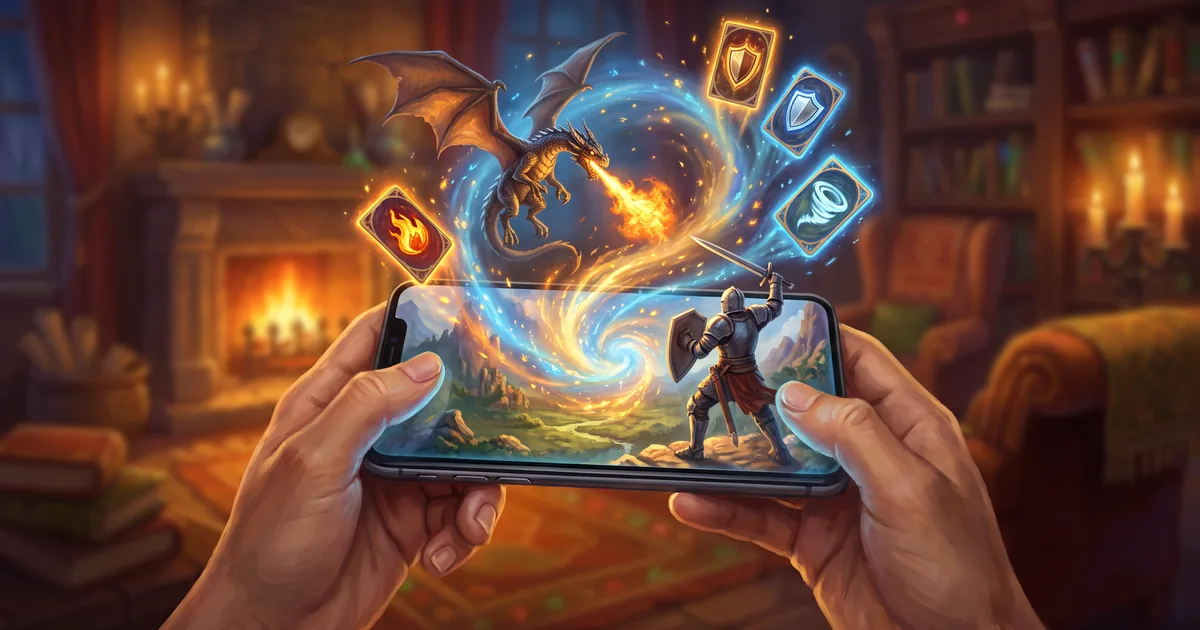
An MMORPG on your phone without an app store: Zarhold runs in the Android and iPhone browser, pins to your home screen and shares your hero with your PC.
A good MMORPG on your phone usually starts in an app store: download gigabytes, grant permissions, wait for the next patch. There’s another way — open the game right in your phone’s browser. Here’s how to play Zarhold on Android and iPhone for free with no download, how to pin it to your home screen like an app, and what works differently on a phone than on a PC.
An MMORPG in your phone’s browser: what it means
Zarhold is a card MMORPG that runs entirely in the browser. Everything important lives on the server: your hero, items, gold, rating and mail. Your phone just shows the game and sends your moves. That means:
- nothing to download from an app store;
- no storage needed for a client or patches — the new version arrives the next time you open the game;
- one hero on every device — log in the same way on your phone and your PC and it’s the same hero.
It’s free to play: signing up, creating a hero, questing, dungeons and the arena don’t require payment.
Getting started on Android
- Open the game page in Chrome — zarhold.com/play.
- Create an account or log in to the one you already have.
- Turn your phone sideways — the game needs the width and will ask you to rotate the screen.
To launch the game from its own icon in full screen, without the address bar, add a shortcut: the game offers an “Install full screen” bar on its own, and if you closed it, use the ⋮ menu → “Install app” or “Add to Home screen”.
Getting started on iPhone and iPad
- Open the game page in Safari.
- Tap “Share” — the square with an arrow pointing up.
- Choose “Add to Home Screen” and tap “Add”.
Important: add the shortcut from the game page itself, not from the website’s home page — otherwise the shortcut will open the website. Step-by-step instructions with diagrams for every device are on Play on your phone.
Why card combat works so well on a phone
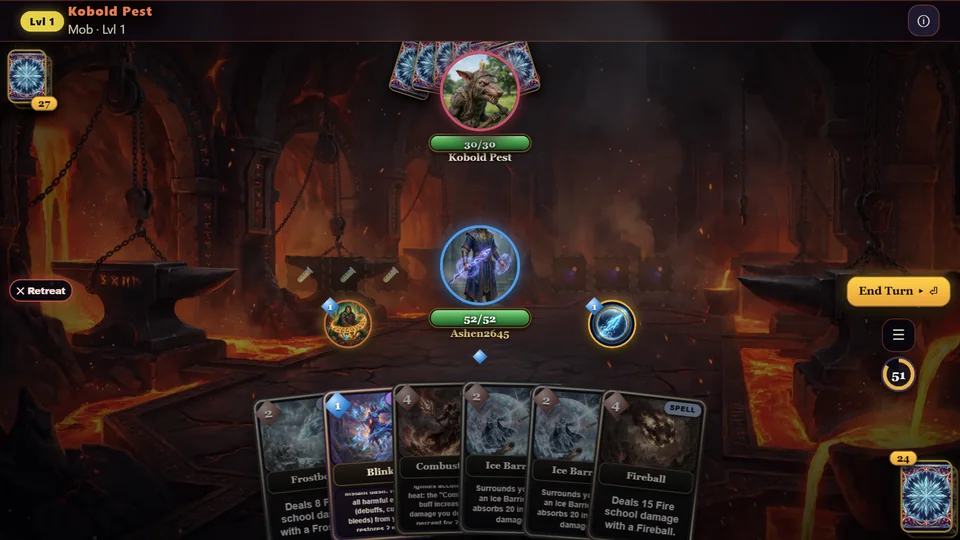
Combat in Zarhold is a turn-based deck duel. You hold a hand of ability cards, every turn gives you one more crystal, and you decide what to play. That’s the perfect format for a phone:
- no reflexes required: you get 60 seconds per turn, so a clumsy tap won’t lose you the fight;
- no wall of buttons: a card is the ability, played with a single tap;
- no powerful graphics card: the battle board is 2D, not a huge 3D world.
The details are in the knowledge base: How combat works.
What’s different on a phone
- It plays in landscape only — that way the battle board has enough room.
- No hotkeys — everything is tapped. On a PC you can set up keys, and they’re saved to your account.
- Item comparison shows on hover on a PC and as a table on a phone.
- “Enlarge interface” goes up to 110% on tall phones; on 16:9 phones there’s no room to enlarge.
In October we went through every screen of the game on phones of different sizes: windows no longer wobble or get cut off, and the game loads faster — about a quarter less is downloaded before the title screen, which is especially noticeable on slower phones.
If your connection drops
Mobile connections can be fickle — the subway, a lift, switching networks. You have 5 minutes to come back, from the same device or another one. A 1v1 arena fight resumes on the same turn, a dungeon run picks up where you left off, and in a live party fight your seat is held until you return.
One hero on your phone and PC
Start anywhere. A couple of fights on your phone in the morning, a raid on your PC in the evening — same hero, same items, gold and mail. One rule: you can’t play on two devices at the same time — logging in on a new device closes the game on the old one, and your progress is saved. More in the knowledge base: Playing on a phone or tablet.
What’s in the mobile version
Everything you get on a PC — there’s no cut-down mobile edition:
- ten classes, talents and two specialisations;
- 26 lands full of quests, dungeons, raids and world bosses;
- an arena from 1v1 to 5v5, a battleground and duels;
- twelve professions, an auction house, mail and guilds;
- chat, friends and parties of up to five heroes.
Not sure where to start on your first evening? See the beginner’s guide.
Free MMORPG on your phone: FAQ
Do I need to download an app to play Zarhold on my phone?
No. The game runs in your phone’s browser. The home-screen shortcut is just a handy icon that opens the game in full screen.
Can I play in portrait mode?
No, landscape only: the battle board needs the width. If you hold the phone upright, the game will ask you to turn it.
Will I keep my hero if I switch phones?
Yes. Your hero is stored on the server, not on the phone. Log in on the new device the same way you did before.
Is it really free?
Yes. You can create a hero and play without paying. The shop has optional purchases, but you don’t need them for quests, dungeons or the arena.
The bottom line
You don’t have to download an MMORPG to play it on your phone: Zarhold opens in the Android and iPhone browser, pins to your home screen and shares your hero with your PC. Card combat turns the phone into a real platform rather than a cut-down copy. Open the game, turn your phone sideways and create a hero — your first quests take a couple of minutes.
Read next
Browser MMORPG with no download: what to play and how Zarhold works
How to pick a browser MMORPG with no download, and what’s inside Zarhold: 26 zones, dungeons, raids, professions, guilds and PvP — all in a browser tab.
An MMORPG for a low-end PC or old laptop: play in your browser, no powerful hardware
Which MMORPG runs on a low-end PC or old laptop? A browser instead of a client, turn-based combat that needs no high FPS, and tips to go lighter.

Beginner’s guide: how to start playing a card MMORPG
A Zarhold beginner’s guide: signing up, creating a hero, the tutorial, first quests, the shop, talents and your first dungeon — all about levels 1 to 10.